

OneKey Pro 2 Review
Best for: Premium touchscreen + optional air-gap
$299
Score Breakdown
Quick Specs
OneKey Pro 2 Video Review
OneKey Pro 2 Review — Unboxing, Setup & Full Walkthrough
Pros & Cons
Pros
- Launch bundle at $299 includes the device, a Seedcard, a magnetic shell, and 6 months of Prime
- 6.2 mm body with an aluminum frame and frosted-glass back -- feels more premium than Ledger Flex, closer to the Stax without the Stax price
- 3.54-inch OLED, 800 nits, 1.1 mm bezels -- readable in bright light; transaction review screen is the best part of the device
- 508 DPI capacitive fingerprint sensor built into the side power button, with PIN still available
- Optional air-gap mode: USB, Bluetooth, and NFC data off, signing only by the rear camera and QR codes
- Wireless charging so travel charging does not require a data cable you do not trust
- IP56 for everyday splash and dust
- Backup choices during setup: 12, 18, or 24 words, plus 20-word single-share and multi-share options
- Entropy from multiple sources; user can export and test the source
- Boot-time firmware check rejects unauthorized third-party firmware
- Software, firmware, and hardware code are on GitHub
- Seedcard is a second restore path: encrypted phrase backup with its own PIN
- Clear signing on the OLED -- address, amount, and fee readable before slide-to-confirm
- Passphrase support for a hidden wallet
- FIDO2 security key: tap to sign in on supported sites like Google, or generate 2FA codes offline
- Works with Android, iOS, Mac, Windows, and Linux
- OneKey app has a deep earn/DeFi section and an unusually large stocks section
Cons
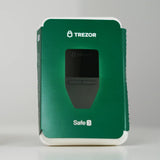
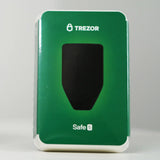
- $299 is not cheap; sits above the Trezor Safe 7 and Ledger Flex
- Brand-new model with no field history yet
- Boot takes about 7 seconds
- Air-gap mode is not the default -- you have to enable it
- IP56 is splash and dust only, not waterproof
- Seedcard does not replace the written seed; lose both the words and the Seedcard PIN and that backup path is gone
- Find My may not be live on every unit at launch
- Phone app is still part of the threat model for portfolio, stocks, and earn features
- OneKey is younger than Trezor and Ledger; a 2023 lab attack on an older model showed a physical extraction path (patched, no user funds lost)
The OneKey Pro 2 is OneKey's new flagship cold wallet, launching as a bundle rather than a bare device. OneKey is a Hong Kong company founded in 2019. Their first hardware wallet shipped around 2020. They are newer than Trezor or Ledger, but this is not a first-year brand. The pitch has stayed the same: open code, a lot of connection options, and a device you can actually read.
I received this unit from OneKey to film. That does not change the score. The notes below are a first day on the device, not a six-month field test.
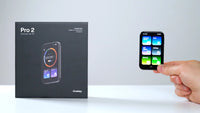
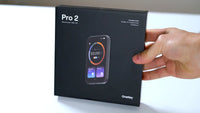
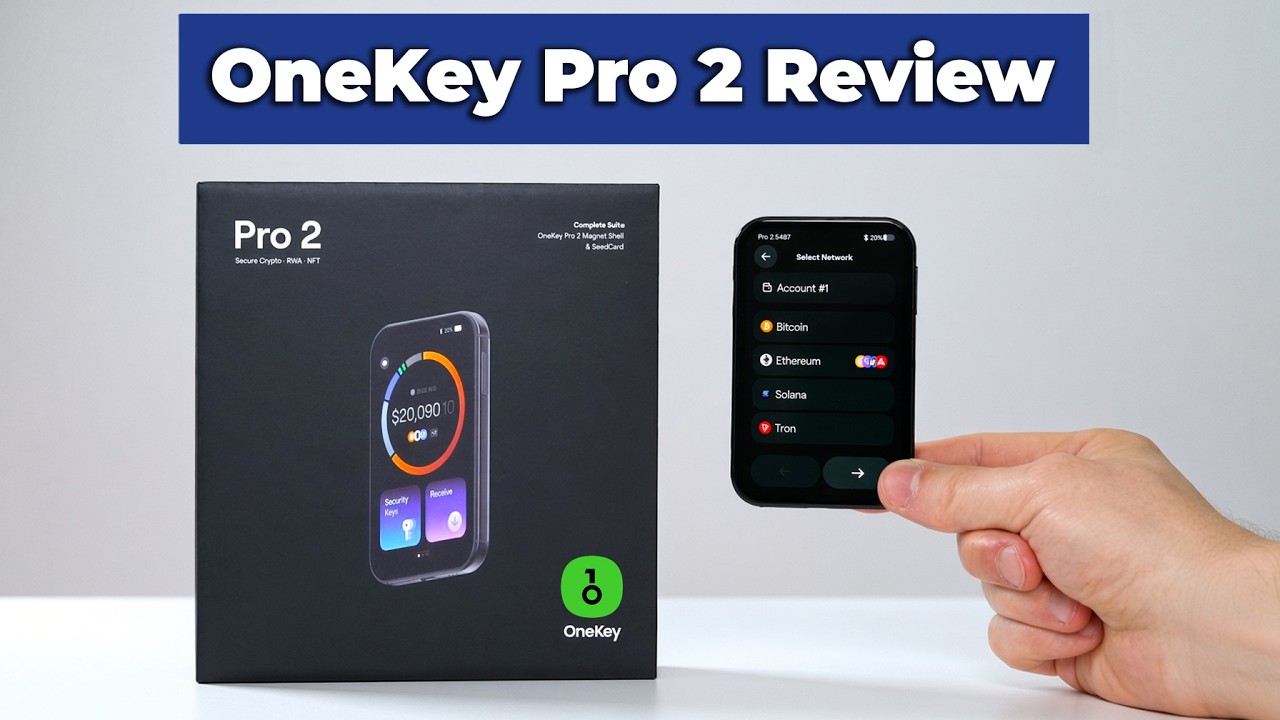
The box has the Pro 2, get-started papers, three recovery sheets, a OneKey Seedcard, a magnetic shell, and a USB-C cable. The launch price is $299 for that kit plus 6 months of Prime. That is above the Trezor Safe 7 and the Ledger Flex, and still well under the Ledger Stax. Prices move, so the number to trust is the one on the store page the day you buy.

Full walkthrough of what is in the box: OneKey Pro 2 unboxing.
Physical Design
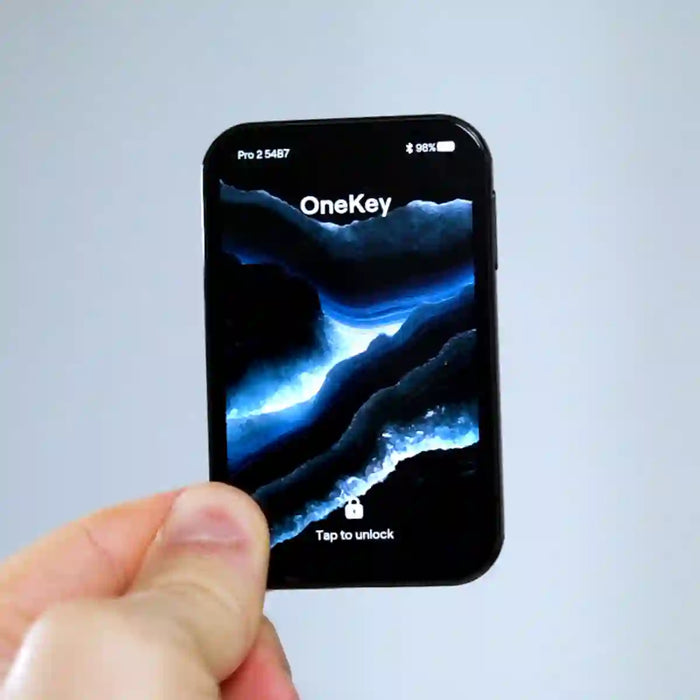
The body is 6.2 mm thick. The frame is aluminum, the back is frosted glass, and the mid-frame is chamfered so the edge does not bite the hand. Corners use a G3 continuity curve instead of a simple round. In the hand it has weight and it does not feel like the plastic Classic line. The camera is on the back, which is why the front glass has no cutout.
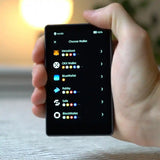
The screen is a 3.54-inch full-color OLED with 1.1 mm bezels on all four sides. It peaks at 800 nits, so it stays readable in bright light. That screen is the part I keep coming back to. Transaction review on a small mono display is a chore. On this panel the address, amount, and fee are laid out so you can actually check them.

Inside is a 700 mAh lithium-polymer pouch cell, the same style of cell used in phones, and it supports wireless charging. Wireless charging is not just convenience. On the road you can drop it on a pad and never plug a data cable you do not trust into the port. The side power button is also a 508 DPI capacitive fingerprint sensor. Rest a finger on it to unlock. PIN still works if you do not want the fingerprint.
IP56 covers everyday splash and dust. It is not a dive rating.
Setup
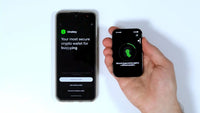
Setup starts on the device: language, then mobile or desktop. The get-started sheet shows a QR that lands on OneKey's own download page, which is the right way to avoid a fake app from a search result. Set the device PIN, enroll the fingerprint if you want it, then pick a backup.

Full step-by-step walkthrough: OneKey Pro 2 setup guide.
Backup and Recovery
The backup screen is wider than a basic 24-word brick. You can take the usual 12, 18, or 24 words, or a 20-word single share, or a multi-share split. Key entropy is mixed from more than one source, and Pro 2 lets you export that entropy source and test it yourself. That matters after the Coldcard random-number questions. A vendor saying "trust our RNG" is weaker than a device that will hand you the source so you can check it.

The Seedcard step is: hold the card to the back of the device, enter the Pro 2 PIN, set a different PIN that lives on the card, then tap the card again. That card is an encrypted copy of the recovery phrase, protected by its own PIN. It is not a replacement for the paper. Someone who finds only the card still needs the Seedcard PIN. Someone who loses the card still has the written words.


Daily Use
Air-gap is a mode, not the factory state. In settings you can turn it on and kill USB, Bluetooth, and NFC data. After that, the camera and QR codes are the only way in or out. If you later want the cable or Bluetooth back, you turn the mode off. That flexibility is the main reason to buy this instead of a QR-only brick or a Bluetooth-only brick.

On the device itself, the home screen has security keys, a connect-wallet menu, a scan tool for signing, and a settings tree that is deeper than most cold wallets. The security-key piece is FIDO2. On a supported login, such as Google, you can approve with a tap instead of a password. The same device can also generate 2FA codes offline, so the second factor is not sitting in a phone app.

Sending is the usual QR round trip if you are in air-gap mode. I had already received BNB from MetaMask. To send it back: copy the address, open BNB in the OneKey app, Send, paste, set the amount, confirm. The phone shows an unsigned QR. On the Pro 2, open Scan and read the review screen. Address, amount, and fee are laid out so you can check them. Slide to confirm. The device shows a signed QR. Scan that back with the phone. The app broadcasts. It worked cleanly on this first send.
Trade-offs
The hardware complaint is boot time. About 7 seconds from the power button to a usable screen. The OLED itself is responsive, and the review page is the part I would miss on a smaller device.
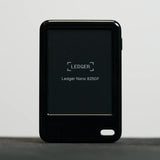
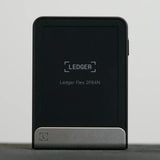
Against Ledger's newer touchscreen models, the Pro 2 feels more finished than the Nano Gen 5 and the Flex. Slimmer, less plastic, closer to the Stax in the hand, with fingerprint, optional air-gap, and the Seedcard in the bundle.


Against the Trezor Safe 7, it wins on looks, screen, and day-to-day ease, and it can be switched into a real air-gap mode, which those two cannot. I have not done a long side-by-side yet. This is a first-impression ranking, not the final one.

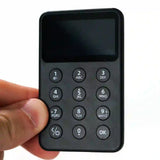
Against OneKey's own Classic 1S Pure at $79, the gap is the point of the Pro 2. The cheap model has no battery, no touchscreen, no air-gap camera path, no fingerprint, and a plastic body. You pay the extra for the OLED, the modes, and the build.

Security Record
OneKey has shipped hardware wallets since about 2020 with no public case of a remote mass-theft or company breach draining user funds. In February 2023, Unciphered demonstrated a physical attack against an older OneKey wallet -- unencrypted traffic between the main chip and the secure element. With the device in hand and lab FPGA gear, they could pull the mnemonic. OneKey acknowledged it, shipped a patch, and paid a bounty. No users lost funds. The attack was not remote. It still counts.
Later conference talks have also covered physical, specialized attacks on earlier hardware designs. Those are another reason the Pro 2's chip layout needs its own public review, not a free pass from old patch notes. The Pro 2 itself is launching now, so there is no model-specific incident record yet. Software, firmware, and hardware code are on GitHub. No known company-side custody of user seeds.
Verdict
The OneKey Pro 2 is the most complete OneKey yet, and it is a real alternative to the Ledger Flex, Ledger Stax, and Trezor Safe 7 if you want one slim device that can be convenient or air-gapped. The 3.54-inch OLED, the fingerprint button, the Seedcard in the box, the backup options, exportable entropy, and the QR signing path are why it scores an 88 on day one.
It is not the right buy if you want the cheapest cold wallet or a long model-specific track record. At $299 the bundle is a premium buy, even with the Seedcard, shell, and six months of Prime included. The Classic 1S Pure at $79 is the budget OneKey.
For everyone comparing premium touchscreen wallets, the Pro 2 earns the shortlist. Keys can stay offline, the review screen is actually readable, IP56 covers daily splash and dust, and the bundle includes a second backup path.
Frequently Asked Questions
What is in the OneKey Pro 2 launch bundle?
The $299 launch bundle includes the Pro 2 device, a get-started card, three recovery sheets for writing your seed words, the OneKey Seedcard, a magnetic shell case, a USB-C cable, and six months of OneKey Prime. The Seedcard and shell are not separately priced add-ons -- they ship in the box with every launch bundle unit.
What is the Seedcard and do I need it?
The Seedcard is an encrypted backup of your recovery phrase stored on a card. It has its own PIN, separate from your device PIN. During setup you hold the card to the back of the Pro 2, enter your device PIN, then set the Seedcard PIN to pair them. To restore later, you tap the card to any compatible device and enter the Seedcard PIN.
The Seedcard is a second backup path, not a replacement for the written seed. Someone who finds only the card still needs the Seedcard PIN. If you lose both the written words and forget the Seedcard PIN, that backup is gone. Store them separately.
Does the OneKey Pro 2 work with iPhone?
Yes. The Pro 2 connects to iPhone via Bluetooth, NFC, and USB-C. Bluetooth is the main wireless path for the OneKey app on iOS. If you enable air-gap mode, QR codes replace those wireless connections, and the rear camera handles the data transfer -- which also works on iPhone through the OneKey app.
What coins and networks does it support?
The OneKey app covers BTC, ETH, BNB, and a broad list of EVM and non-EVM chains and tokens. The app also includes a stocks section and a DeFi earn section with a larger directory than most hardware wallet companion apps. The keys for all of this stay on the device. The app handles display and broadcast.
How does air-gap mode work?
Air-gap mode is off by default. To enable it, go to Settings on the device and toggle it on. This disables USB data, Bluetooth, and NFC. The only way data moves between the Pro 2 and your phone after that is through QR codes: the phone shows an unsigned transaction QR, the rear camera on the device reads it, you review and confirm on the OLED, and the device displays a signed QR for the phone to scan back. To disable air-gap mode and return to Bluetooth or USB, go back to Settings and toggle it off.
Is the OneKey Pro 2 firmware open source?
Yes. OneKey publishes software, firmware, and hardware schematics on GitHub. The Pro 2 also lets you export the entropy source it used to generate your seed so you can test it independently. That is a practical check on the randomness, not just a trust claim.
Is the OneKey Pro 2 waterproof?
IP56 covers splash and dust. Rain in a jacket pocket, sweat, and brief splashes are in scope. Submerging it is not. IP56 is not a dive rating and not the same as the IP67 or IP68 you see on phones designed to survive pool drops.
How does the fingerprint sensor work?
The fingerprint sensor is built into the side power button. It uses a 508 DPI capacitive reader. During enrollment, rest your finger on the button -- do not press hard. Pressing too firmly during setup causes a partial read that fails on later unlocks. You can skip fingerprint enrollment and use PIN only, or enable it later from the device settings. If the fingerprint fails, PIN is always available as a fallback.
Ready to buy the OneKey Pro 2?
Starting at $299. Check current price before you buy.
Buy OneKey Pro 2 →Affiliate link · No extra cost to you
This page contains affiliate links. If you buy through them, I may earn a small commission at no extra cost to you. I only review products I have personally tested.