

DCENT Biometric Wallet Review
Best for: XRP + fingerprint screen
$109
Quick Specs
Pros & Cons
Pros
- Fingerprint sensor on the device means daily unlock does not depend on remembering a PIN
- OLED screen plus physical buttons give real on-device clear signing before you approve
- Same DCENT app as the card line: send, receive, swap, custom tokens, dApps
- Strong XRP stack in the app including XRPL tools and yield discovery
- MetaMask support for EVM accounts via the app QR hardware-wallet flow
- Optional 25th-word passphrase on supported firmware versions
- Seed Check menu lets you confirm written words still match the device
- Company has shipped biometric hardware since 2018 with no mass key-extraction incidents
- $109 via affiliate link is mid-pack for a screened and fingerprinted cold wallet
- Small enough to leave at home rather than carry like a payment card
Cons
- Firmware and hardware are closed source
- Bluetooth plus updatable firmware is a wider attack surface than NFC-only or air-gap designs
- April 2026 mandatory v2.4 update was issued to patch a cryptographic integrity bug in a prior build
- 25th word is capped at 8 characters, weaker than a full BIP39 passphrase on Trezor or Coldcard
- 530 mAh battery: if it dies in a drawer you need a charger, not just a tap
- No full desktop suite: coin management lives in the phone app
- MetaMask pairing needs a PC with a camera and does not work from MetaMask Mobile
- EAL5+, not EAL6+. No IP rating. Plastic body
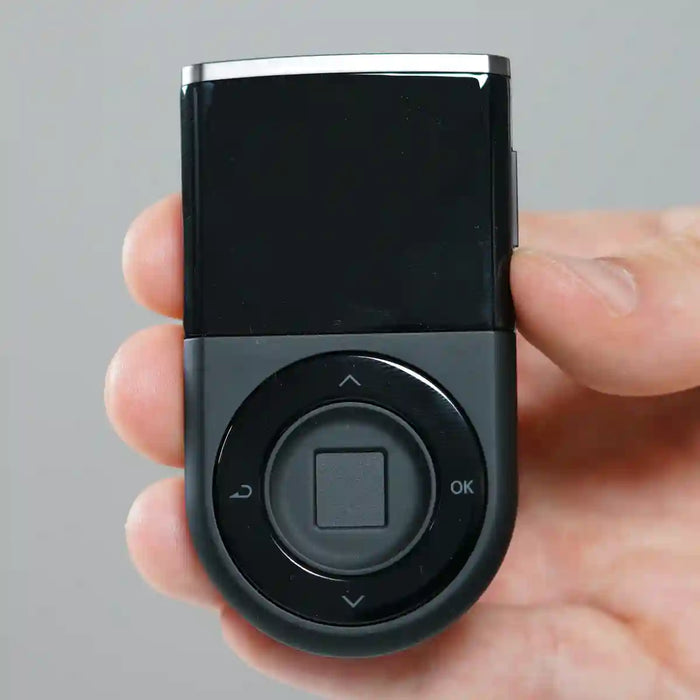
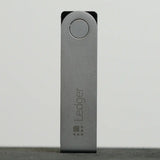
The DCENT Biometric Wallet is IoTrust's original form factor: a small Korean-made brick with an OLED, three buttons, a fingerprint pad, a battery, and Bluetooth to the official phone app. It launched in 2018. The unit sold now is the USB-C revision of that same idea. You manage coins in the DCENT app. The device holds the keys. When you send, swap, or sign a dApp payload, the wallet screen shows what you are about to approve. You confirm with fingerprint or PIN.
The hardware
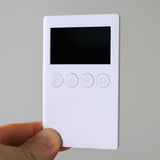
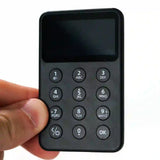
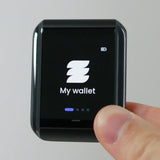
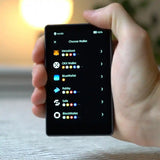
Current price is $109 via the affiliate link ($159 list). The body is a compact plastic brick, 4.3 x 7.7 x 1.1 cm and 36 g. Small OLED with physical buttons. No touchscreen, no IP rating, no advertised Gorilla Glass. A capacitive fingerprint sensor sits on the front face.
Bluetooth is BLE 4.1, encrypted. Signing still happens on the device. Bluetooth only carries public transaction data to and from the app. USB-C is used for charging and firmware updates. No NFC, no wireless charging. A 530 mAh lithium-ion battery powers it. Auto-off exists, but if the battery dies in a drawer you need a charger before you can sign anything.
Security stack
Keys are generated and stored in a CC EAL5+ certified secure element. That is one tier below the EAL6+ chip on the DCENT S card. Fingerprint data is handled on-device, not in the app. The device requires either a fingerprint or a PIN to sign. A 4-8 digit PIN is required at setup; fingerprint is enrolled afterward as an alternative.
Firmware and hardware are closed source. Coinspect reviewed firmware and SE applets around 2019-2020 and reported no critical fund-loss bugs. Firmware is updatable over USB from Windows or macOS, or over OTG from Android. No rollback after an update.
Setup
Charge the device first. Then set language, create or recover a 24-word seed phrase, set a PIN, and enroll at least one fingerprint. Write the 24 words down before you do anything else. Pair Bluetooth to the DCENT app and add coin accounts from there. The first-time flow takes around 10-15 minutes.
Firmware update should come next. Check the DCENT app or site for the current version. Updates go over USB from a computer, or OTG from Android. The official updater never asks for your seed phrase. If a site does, it is fake.
Backup and recovery
Backup is a standard 24-word BIP39 seed phrase, written on paper or stamped on metal. An optional 25th-word passphrase is available on units running KSM 1.1 or higher, capped at 8 characters. A Seed Check menu lets you verify the stored words still match the device after the fact.
Recovery on a new or wiped device requires the 24 words. You must re-add each coin account manually after restoring. Keep a list of which accounts you used. The fingerprint dies with the device. The seed phrase is the only backup that matters for inheritance or loss.
Daily use
The DCENT app handles send, receive, swap, custom tokens, and a dApp browser. Coverage is wide: Bitcoin, Ethereum and other EVMs, Solana, Cardano, Tron, XRP, Hedera, Polkadot, Algorand, and a long tail you can extend with custom tokens. The official store claims 100+ blockchains and 10,000+ assets.
XRP users are a core audience. The app surfaces XRPL features that most hardware wallets treat as an afterthought: native XRP accounts, XRPL DEX and AMM-style actions, and XRPFi-style yield product discovery. Signing for those flows still requires an on-device approve.
MetaMask is supported for EVM accounts via a QR-based hardware-wallet connect on the MetaMask browser extension. Firmware v2.19.7 or newer is required. MetaMask Mobile cannot do the QR step. Plan on a desktop PC with a webcam if that pairing matters to you.
Security record
No public story of keys being extracted from an intact, un-phished unit. Coinspect audited firmware and SE applets in 2019-2020 with no critical findings. The years from 2021 to 2025 were quiet on the incident front.
April 2026 brought a mandatory v2.4 firmware advisory. A cryptographic integrity bug in a prior build could allow a malicious signature component under specific conditions. IoTrust issued the patch and disclosed the scope. Fake updater pages are the practical risk for owners. That incident is why the track record score sits at 80 rather than higher, despite the company's clean 2018-2025 history.
Verdict
Buy the DCENT Biometric Wallet if you want a phone-first cold signer with real on-device clear signing and a fingerprint tap instead of a PIN entry every time. The XRP-oriented app, broad chain coverage, and included OLED screen make it a practical daily driver at $109. The fingerprint is a daily lock, not an estate plan. Write the seed phrase on paper or metal and store it separately.
Skip it if you want air-gapped QR signing, open-source firmware, or a device that never takes a firmware update. For XRP and HBAR holders who want a screen and a fingerprint on the signer, it is a sensible choice at this price.
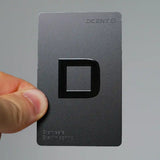
Comparing DCENT Biometric against the DCENT S card? The key difference is the screen: the Biometric shows you the address and amount on hardware before you tap. The S card relies entirely on your phone's display. Read the DCENT S review if you are choosing between them.
Ready to buy the DCENT Biometric Wallet?
Starting at $109. Check current price before you buy.
Buy DCENT Biometric Wallet →Affiliate link · No extra cost to you
This page contains affiliate links. If you buy through them, I may earn a small commission at no extra cost to you. I only review products I have personally tested.